
Canva won’t make you money on its own. It’s free, Canva says more than 250 million people use it monthly, and Upwork still runs a whole hiring page for Canva designers, because plenty of owners would rather pay someone than find the time. That gap is the opportunity this guide is about: steady, unglamorous design work for small businesses, done inside the rules of Canva’s licence.
At a glance
The plan on one card
| Method | A monthly social graphics package for local businesses |
| Startup cost | US$0 on the free plan; Canva Pro is US$144 a year on Canva’s US page (12 October 2026) |
| Your cost per unit | About $1 a graphic if one client takes 12 a month on Pro; less as you add clients |
| What clients pay | Upwork’s Canva hiring page: $15 to $35 an hour, or $400 to $1,400 for ongoing work such as weekly social graphics |
| Income | Not guaranteed |
I haven’t run this business myself; the plan below is built from Canva’s terms, published marketplace rates and my own arithmetic. If you want the full picture on prices, the AI allowance and the licence first, read my Canva review.
Five ways to earn with Canva, side by side
| Method | What the market shows | Main limit |
|---|---|---|
| Monthly social graphics for local businesses | $400 to $1,400 for ongoing work (Upwork) | You have to find and keep clients |
| Presentation and template sets for businesses | $150 to $500 for a 5 to 10 template set (Upwork) | One-off projects, so the pipeline is lumpy |
| Selling Canva templates on Etsy | Your own price, minus Etsy’s $0.20 listing fee and 6.5% transaction fee | Crowded, and licence rules on Pro content |
| Canva Creators royalties | Royalties; Canva doesn’t publish the rate on its Creators page | Application, review, no AI-generated work |
| Canva affiliate links | Closed to new applications | Only through the Canvassador scheme |

The monthly graphics package, step by step
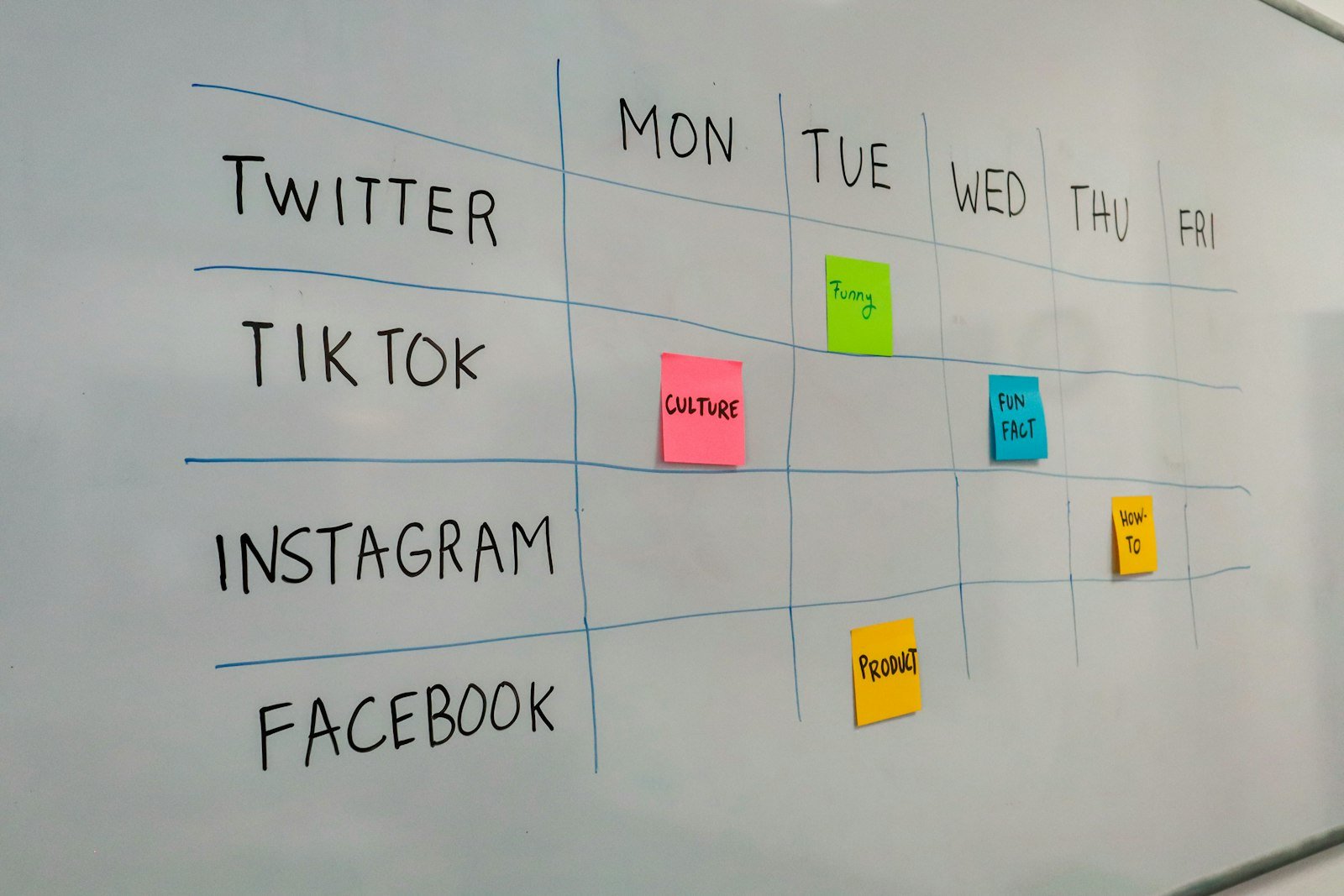
The idea is simple. A café, salon, gym or boutique pays you a flat monthly fee, and you deliver a set number of on-brand posts and stories for its social accounts. It suits Canva because brand kits, templates and Magic Resize make the twelfth post much faster than the first.
How delivery works
- Set up the brand once. Logo, colours and fonts go into a brand kit (Pro allows five, so you can keep several clients separate). Build three or four master layouts you’ll reuse.
- Agree the month’s plan. A short call or shared document: offers, events, new stock, and the client’s own photos.
- Design in one sitting. Fill the master layouts, then resize for stories with Magic Resize. Use AI for background removal or copy ideas, not as the main product.
- One review round, then hand over. Share a view link, take one set of changes, deliver the final files.
- Put the licence in writing. Section 4A of Canva’s Content License Agreement lets you transfer designs containing Canva content to a single client for their own use, under a written agreement. One paragraph in your contract covers it.
Where the first clients come from
Start close to home. Local businesses whose last Instagram post is weeks old are easy to spot, and a short message with two sample posts made in their colours says more than a portfolio link. Upwork and Fiverr work too, but expect competition on price: Fiverr’s social media design category shows gigs starting at $5 to $50, and several freelancers on Upwork’s Canva page list rates below its own $15 to $35 range. Both platforms take a fee, so check their current fee pages before you price.
Worked example (an illustration, not a promise)
A local boutique agrees to $400 a month, the bottom of Upwork’s range for ongoing work, for 12 feed posts with story versions. You find the client directly, so there’s no platform fee. Canva Pro at US$144 a year is $12 a month. Allow 8 hours a month for planning, design, one revision round and messages.
$400 minus $12 leaves $388. Divided by 8 hours, that’s $48.50 an hour before tax. The first month will take longer while you build the brand kit and layouts, so the hourly figure starts lower and improves from month two.
The other four routes, briefly
Presentation and template sets. Upwork’s Canva page puts a 5 to 10 template set or a multipage brochure at $150 to $500, and a full brand kit or a 20+ template library at $500 and up. These pair well with the monthly package: build a client’s templates once, then offer to keep them filled.
Etsy templates. One model is selling a Canva template link rather than a file. Section 5(5) of the licence permits templates “solely for use on Canva”, which covers that model. If you sell files for use elsewhere, section 6(4) only allows Free content, and nothing from the Pro library. On a $12 template, Etsy’s listing and transaction fees come to $0.98 before payment processing, which varies by country. It’s a slow build in a crowded market.
Canva Creators. Template and Education Specialty creators can apply with 5 to 10 original examples; Element Creator applications are paused. Canva pays royalties but its Creators page doesn’t publish the rate, and it rejects work that is AI-generated to the point it can’t be called yours.
Affiliate links. Canva’s affiliate page says the program is closed to applications and that individual creators must now be accepted as Canvassadors. I wouldn’t plan around it.
Related reading: How to make money with Leonardo.Ai · How to make money with Beautiful.ai · How to make money with InstaDoodle
Rules that can cost you a client
- Don’t build logos from Canva elements. Section 9(2) bars Canva content in a trademark, business name or service mark (fonts excepted). If a client wants a logo, draw it from scratch or send them to a logo designer.
- One design, one client. The client transfer in section 4A covers a single client. Don’t resell the same finished design to a second business.
- Don’t sell stock content on its own. Section 9(1) bars reselling or sub-licensing Canva content, and Pro content can’t be distributed as a standalone item.
- No invented testimonials. The FTC’s final rule on fake reviews bans testimonials from people who don’t exist, AI-written ones included. If a client asks for a “customer quote” graphic, use a real, documented review.
- Be straight about AI. Canva’s AI Product Terms forbid misleading anyone that AI output is human-made, and Etsy’s Creativity Standards require sellers to disclose in the listing when an item is created with AI.
- Use the client’s account where it makes sense. If the client already pays for Canva, working in their account keeps the files with them when the contract ends.
A good match if you have a decent eye, like routine, can talk to shop owners without a sales script and are happy with a few hundred dollars a month per client that grows slowly.
A poor match if you want income without client contact, hoped AI would do the design for you, or plan to sell logos and merchandise built from Canva’s library.
The figures in this guide are examples, not income claims; what you earn depends on your skills, your clients and your market. I don’t earn a commission from Canva. The licence and legal points are my reading of public documents and are not legal advice.
Update log: 12 October 2026: first published, with prices checked that day.
Sources
- Canva pricing (US)
- Canva Content License Agreement and AI Product Terms
- Canva Creators and Canva affiliates page
- Upwork: hire Canva designers (rates and project costs)
- Fiverr: social media design gigs
- Etsy fees and payments policy and Etsy Creativity Standards
- FTC: final rule banning fake reviews and testimonials
Leave a Reply